GitLab on Nevacloud: A Unified DevOps Platform for Collaboration, Automation and Software Security
GitLab is an open-source DevOps platform that offers a complete set of software development tools, from code management and CI/CD to automated security. With GitLab, teams can manage the whole software development lifecycle in one platform, without switching between tools.
On a Nevacloud cloud VPS, you can run GitLab Community Edition yourself with high performance and full flexibility for your projects.
Why GitLab on Nevacloud
Hourly billing
From IDR 402/hour, pay for what you use.
Start small, upgrade anytime
Start with Nevalite 4GB and resize to a larger plan as your needs grow.
One-click template
The GitLab template deploys straight from the dashboard.
Jakarta data center
Your app data stays on your own server in Indonesia.
Human support
Help from a real human support team, not a chatbot.
Pay in Rupiah
QRIS, GoPay, bank transfer or credit card; tax invoices on request.
You also get unlimited bandwidth, SSD NVMe storage with RAID10 protection, plus Snapshot, VNC Console, Recovery Mode and Reinstall in the dashboard, so you can roll back before changing your app configuration.
Self-Hosted GitLab Features
GitLab offers complete, integrated Git repository management, from commits, branches and merge requests to tagging, all in one intuitive interface. CI/CD processes can be fully automated, making it easy to build, test and deploy applications, and can be combined with modern tools such as Docker, Kubernetes or GitLab Runner for a more efficient and powerful DevOps workflow.
Security is a priority too, with automated scanning in the pipeline, from static application security testing (SAST), dynamic application security testing (DAST) and dependency scanning to container scanning, so code security is covered more thoroughly. For project management, you can use issue & project tracking, manage labels and milestones, and assign team tasks on a kanban-style visual board, enabling real-time progress monitoring and more structured collaboration. Project documentation is easy to maintain with the Wiki, so you can write technical documentation and user guides directly in GitLab to keep them up to date and accessible to the whole team.
For collaboration, GitLab makes code review, inline comments and merge request approvals easy, with notification integrations for platforms such as Slack, Discord or email to improve transparency and team communication. You can also integrate directly with external tools such as Jira, Prometheus, Sentry and Mattermost to create a more automated, connected workflow.
For security and authentication, GitLab provides a high level of access control through role management, OAuth, LDAP, SSO and two-factor authentication (2FA) support, so every layer of your application development stays protected.
Comparison: Self-Hosted GitLab on a VPS vs GitLab.com
Feature | GitLab on a Nevacloud VPS | GitLab.com (Hosted) |
|---|---|---|
Infrastructure Control | ✅ Full | ❌ Cannot be customized |
CI/CD Performance | ✅ VPS resources match the plan, can be upgraded | ⚠️ Depends on other users' load |
Long-Term Cost | ✅ More economical for large teams | ⚠️ Based on seats & usage |
Data Privacy | ✅ Stored locally on your VPS | ❌ On public servers |
Custom Runner | ✅ Install your own | ✅ Possible, but limited |
Integration Flexibility | ✅ Free to integrate internal tools | ⚠️ Limited by the platform |
GitLab Examples
💻 Web & Mobile App Development
Use CI/CD pipelines for automated tests, linting and deployment to staging or production servers.☁️ Infrastructure as Code (IaC)
DevOps collaboration with GitLab + Terraform + Docker for automated, managed cloud provisioning.🔐 Security DevOps (DevSecOps)
Integrate vulnerability scanning directly into the merge request process before code reaches the main branch.🏢 Software Houses & Agile Teams
Use issue boards, the wiki and merge request approvals to keep the development workflow structured.📦 Internal Tool Distribution
Create a private package registry (Docker, Maven, NPM) and manage internal projects in one unified platform.
How to Install GitLab on a Nevacloud VPS
Go to the Nevacloud Dashboard
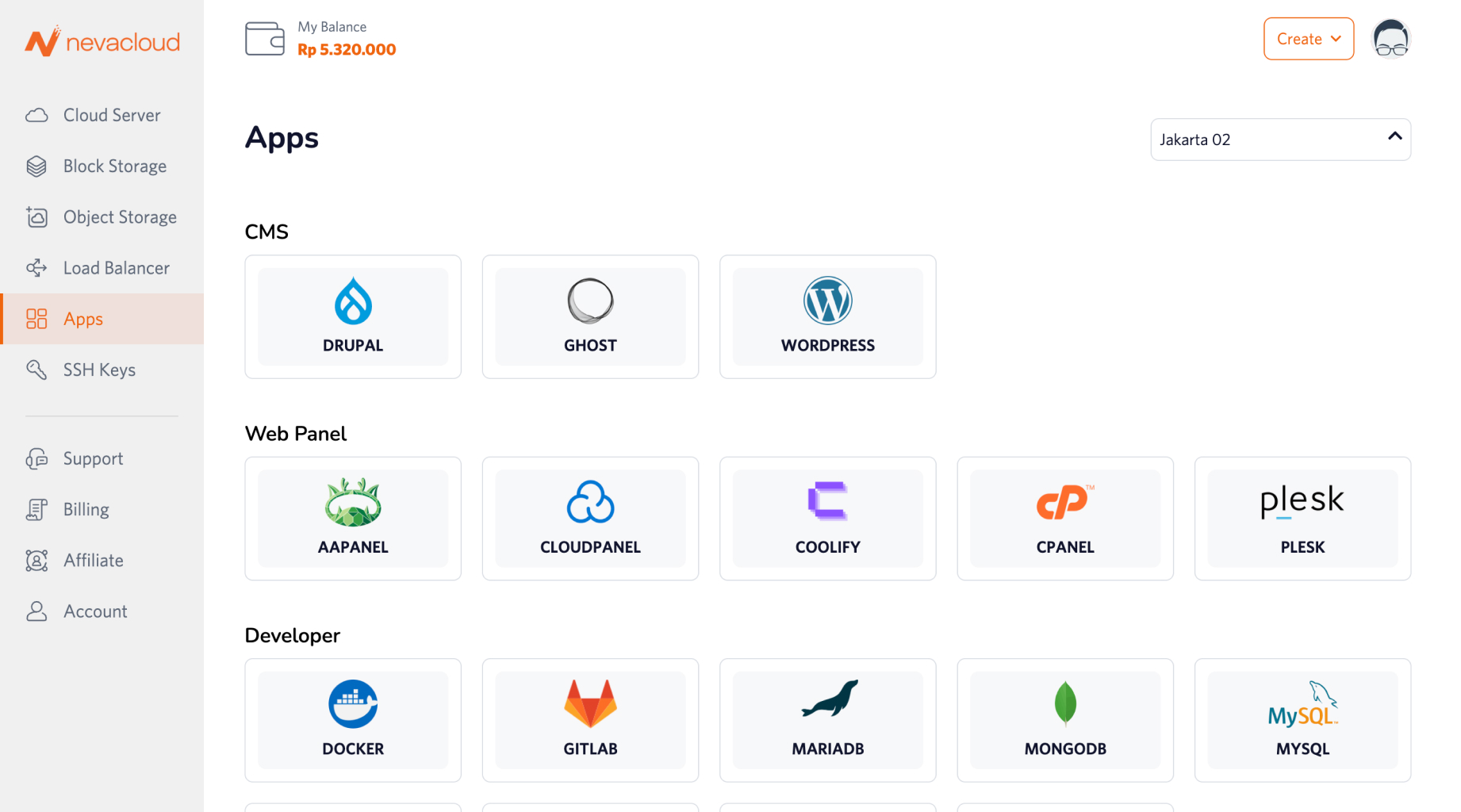
Choose the Apps menu and find GitLab
Click Deploy and choose the VPS specs that fit your project
GitLab is installed automatically and ready to use
Open GitLab through your domain/subdomain and start setting up repositories and pipelines